
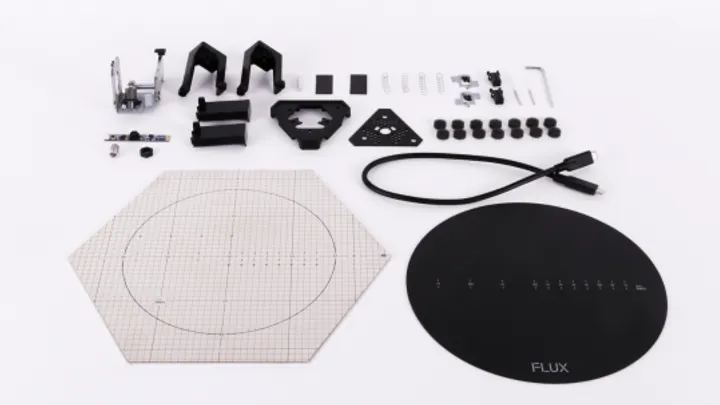
We just launched our new product—FLUX Delta+. It’s no exaggeration to say that without the support of our FLUX Delta users, we would never have become what we are today. We’re one step closer to achieving the goal we set for ourselves 2 years ago.
Since the end of 2015, we’ve been shipping FLUX Deltas all across the globe. We deeply appreciate all of the helpful feedback you’ve provided. All the reviews, bug reports, encouragement, and even criticism motivate us to make this product even better.
We’ve received a lot of feedback from you in the past few months about issues you’ve experienced. On this day of the new product launch, as a sort of reward for those of you have been anxiously waiting for the upgrade kit, we’d like to give you a somewhat detailed analysis of the most common hardware issues encountered and their solutions. We’d also like to provide you with more information regarding the exciting changes that are part of the upgrade kit.
We’ve compiled your feedback and organized it into 3 categories:
1. Failures caused by inadequate instructions
When we started shipping out orders, instructions and manuals were inadequate. Users ran into problems that could have been avoided with better guidance. For example, some users experienced ball joints detaching while moving, the printing toolhead base melting because of bad first layer adhesion, filament sensor detection errors, and/or filament knotting problems. All of these issues could be addressed with better instructions.
2. Reliability issue caused by design or production
Our product underwent numerous engineering and reliability tests to pass the strict standard of consumer electronic products quality control. However, there were still some issues regarding yield rate and reliability. Some issues encountered included printing toolheads clogging, scanner laser poles popping out, the micro USB port displacing, toolhead cable bad connections, and the grid on the metal plate peeling off.
3. Expectations were higher
In some cases, while the machine worked as designed, the performance did not reach user expectations, or simply could be improved. Some areas in need of improvement included: large area printing adhesion, shaping issues, and dimension distortions.
Regarding the issues mentioned above, we have come up with several solutions:
1. Shaping issues and dimension distortions
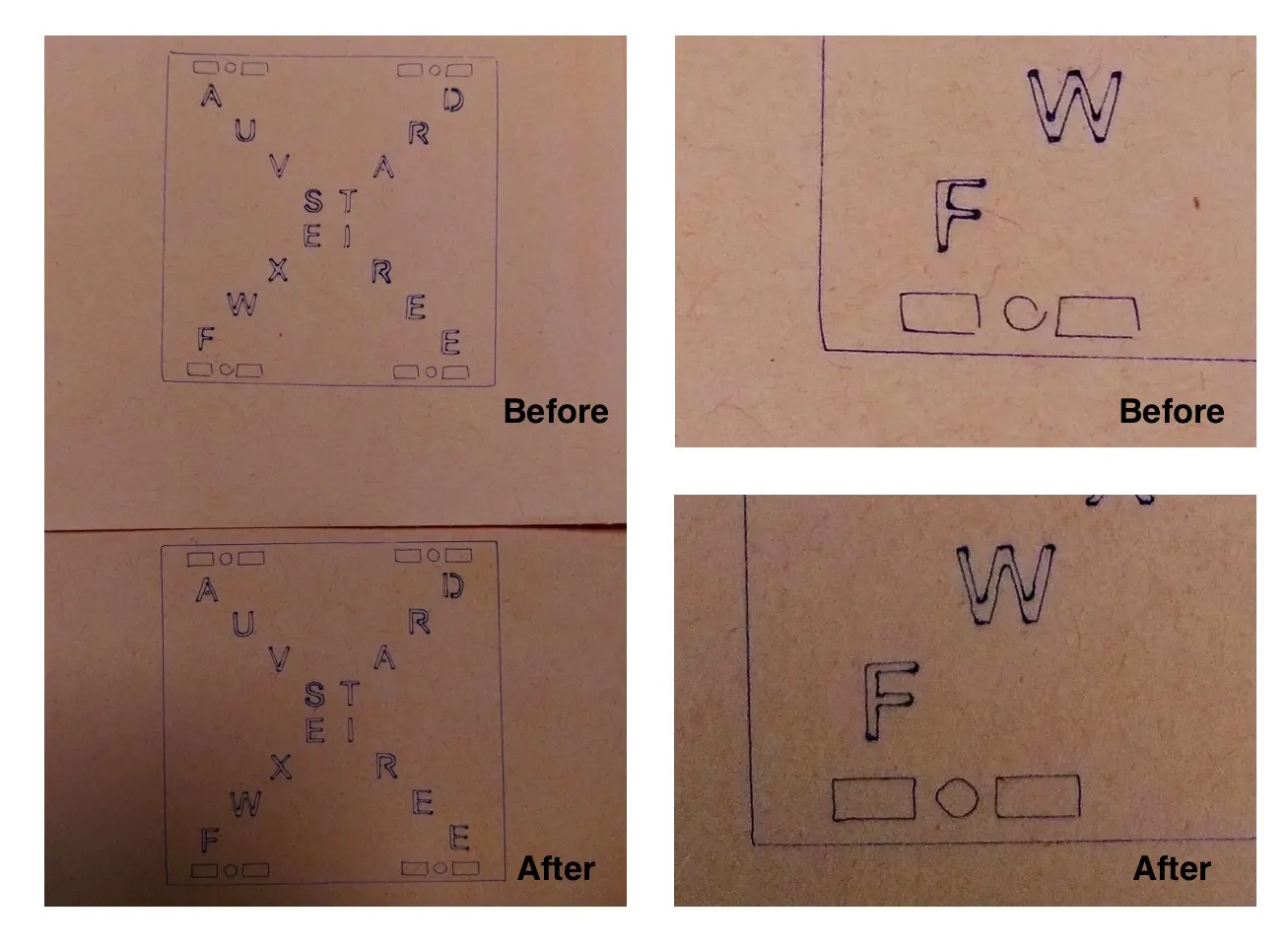
It has been reported that small circular and rectangular features resulted in poor quality prints or SVG engravings. We have dug deep into this issue for a long time and found out the cause is complex. We suggest two ways to address these issues:
(a) Keep the six guiding rods well lubricated. If you’re using the original, in-box lubricant, please apply it on all six guiding rods and then wipe the extra out with tissue or wipe. The lubricant will form a thin layer on the rods and keep movement smooth. Repeat the procedure every 100-printing-hours to get consistent printing results.
(b) Update firmware and enable correction function. According to our research, some static position errors may occur while moving through specific paths, especially right corners. Enabling the error correction function on the latest firmware will remarkably improve performance.
Download latest software and firmware
2. Flatness issue when printing on large area
We have tuned the advanced printing parameters for first layer printing. The first layer is now printed thicker with more extrusion of PLA, improving printing performances on large areas. Kindly let us know if the results improve for you as well.
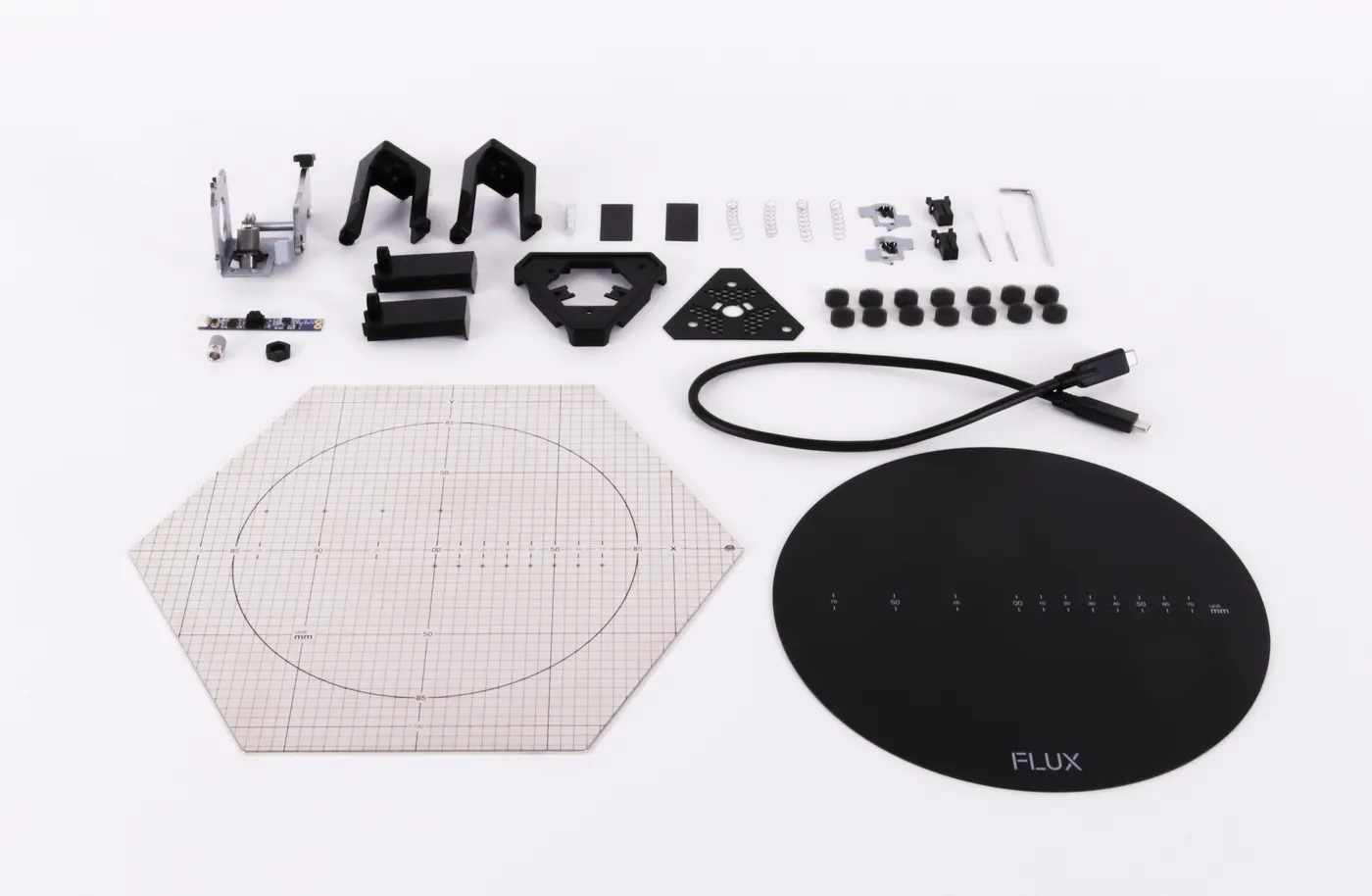
Next is what you all have been waiting for: the upgrade kit! Please see the following information for complete details.
Extruder Kit
We have redesigned the filament extruding system. The extruding force has been increased 50% over the original version, which means faster printing speed. The filament feeding path has been upgraded to support elastic materials. The position which holds the tube connector has been refined to enhance usability.
Camera kit
With the release of real time monitoring, you can easily check the working status of the machine on your smart phone. However, the view angle was very limited due to the original CMOS camera module. With the camera upgrade kit, the monitoring area extends up to 7 inches (18 cm)!
All new magnetic print plate
Tired of using glue every time before printing? FLUX team has developed an all new flexible magnetic print plate which easily attaches to the hexagonal steel base plate. The surface of the new print plate has been designed to adhere to hot PLA. The plate is flexible, allowing you to easily peel off the printed object. This innovative accessory will optimize you 3D printing experience like never before.
Metal printing toolhead base:
Some users reported melted filament build up inside the printing toolhead when a print detached from the build plate while printing. If left unchecked, this build up would eventually damage the bottom of the toolhead. Our team has redesigned the bottom piece of the toolhead with an all new metal structure. With this upgrade, melted filament will no longer build up and harm the toolhead.
FLUX Delta USB cable
Wireless connection and operation is super convenient, but sometimes a wired connection is still necessary. A customized USB cable for the FLUX Delta family has been produced to meet the need for a wired connection, making it possible to use FLUX Delta without setting up the Wi-Fi environment. You can now connect to the machine through the USB Type-A port.
Needle for nozzle cleaning
Carbonized filament and other impurities will gradually build up inside the printing toolhead nozzle over time. The nozzle might clogged in several weeks or months depending on the operation frequency. To properly maintain your FLUX Delta, it is essential that you follow our nozzle cleaning tutorial and make use of the needle, which should thoroughly clean out the nozzle. Most nozzle issues can be resolved by using this procedure if the nozzle isn’t damaged externally. We don’t recommend the use of 3rd party filament, which may increase the rate of carbonized filament build up.
Oil absorbing foam on magnetic ball joints
To avoid magnetic ball joints detaching and to keep the printing quality high, all joints should be well lubricated. Oil absorbing foam was designed to be installed inside each magnet so that lubrication will last longer.
Scanner laser poles upgrade
The scanner laser poles popping up issue has widely affected FLUX Delta users. We’ve devoted months to finding the cause and the best solution. We have been providing the third version replacement parts since June 2016, lowering the defective rate to less than 2%. We have now redesigned the structure in order to solve the root cause of the pop-up issue.
Toolhead cable holder
It was a topsy-turvy couple of months before we found out the reason for bad connection issue. We discovered that if an oversized socket is paired with an undersized connector, the connector will rock and cause bad connection during printing. While users can make and install connector holders themselves, the machine may be damage if the holders are not properly installed. Therefore, we designed an official holder which will resolve the issue. If you have encountered a bad connection issue lately, please contact our support team ASAP.
Thank you for reviewing all the details regarding the upgrade kit.
Please sign in/up to your FLUX ID account and import your FLUX Delta order. After completing the 3 quests, you can get the upgrade kit (worth $150) for free (you pay only the shipping fee)!Although there will be some differences between your upgraded FLUX Delta and the new FLUX Delta+, we guarantee that the upgrade kit will significantly enhance your user experience.
The FLUX Team would like to take this opportunity to thank our FLUX Delta users for sticking with us. Your support motivates us. To express our gratitude, we are offering a $100 discount to FLUX Delta users if you buy a FLUX Delta+! For more details, see our FAQ.
Once again, please let us know if you have any questions or comments. Your feedback is greatly appreciated.
FLUX Team