Beam Studio

Simple. Functional. Adaptable


Windows


Apple


Linux


Download Now

This powerful software’s intuitive UI and high compatibility provide a smooth and easy to use creative tool for all FLUX users. Perfect for both beginners and professional creators, Beam Studio simplifies the crafting process and keep your mind focus on creating.

“Beam Studio is super straightforward, but darn powerful”
TechCruch Magazine
TechCruch Magazine

A One Stop Solution

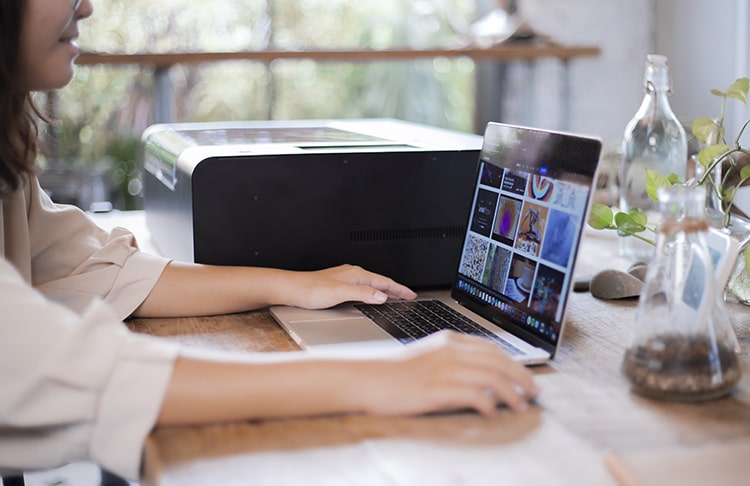
Beam Studio provides a smooth laser cutting and engraving experience maximized for laser performance. Design within the application, preview your design on screen, through your laser cutter’s built-in camera, drag-and-drop your design or auto align your placement, and when everything looks right, start cutting or engraving. Less wasted material, less wasted time, less effort.

Simple, Intuitive, Interface

For a No Fuss Experience

Universal symbols on Beam Studio make it easy to find what you’re looking for. Our drag-and-drop functionality allows you to move your design around freely, while auto alignment and design distribution (for scattered images) takes care of placement for you. Preview mode shows you exactly where your design will be etched, so what you see on your screen is what you get on your product, no surprises.

Multi-Layers
Engraving / Cutting

For multi-layer projects, Beam Studio can process all your selected actions simultaneously. Cut and engrave at the same time without having to start your project over. Save time and avoid potential errors without learning advanced features or having to use any 3rd party applications.

Preset Parameters

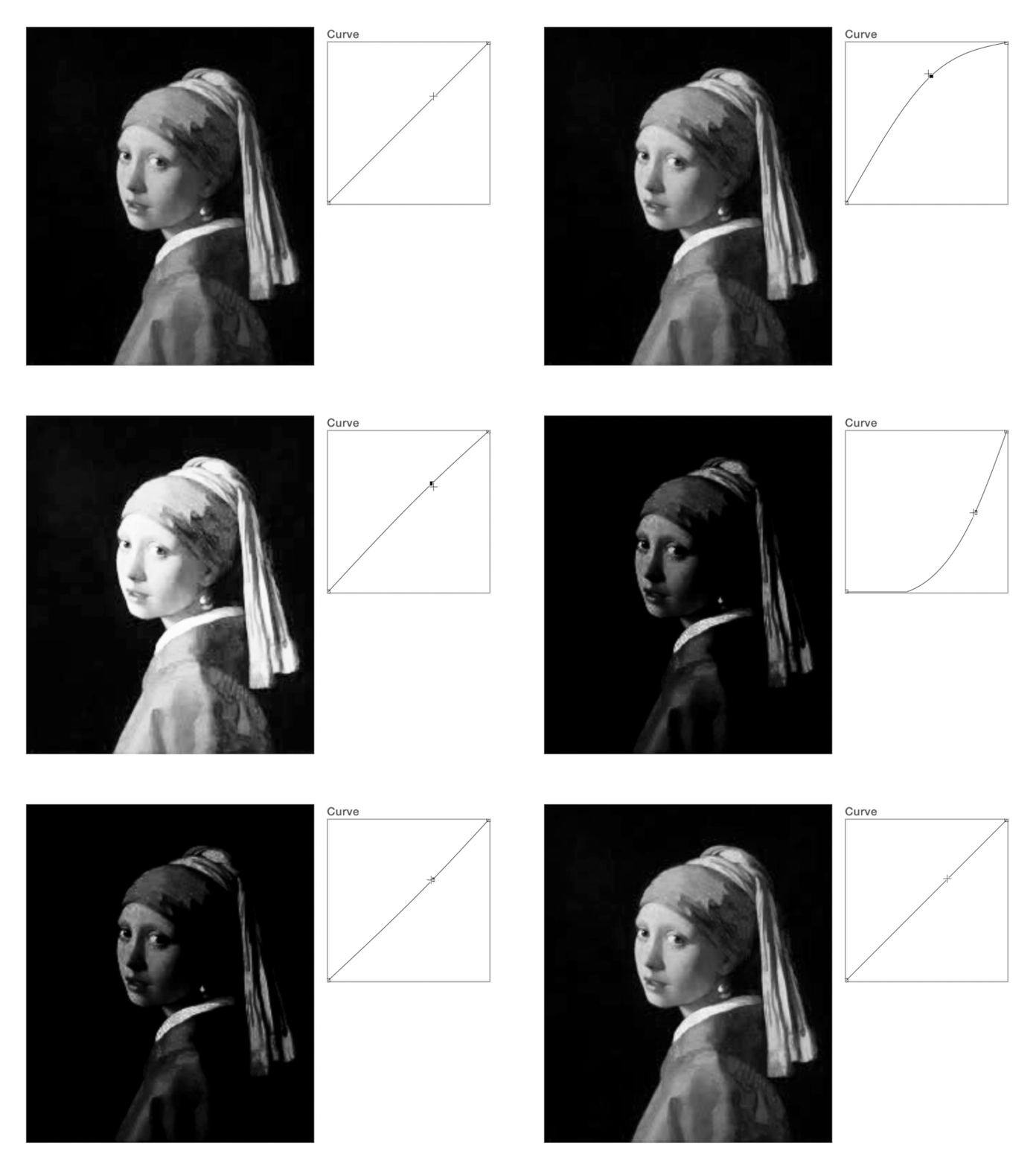
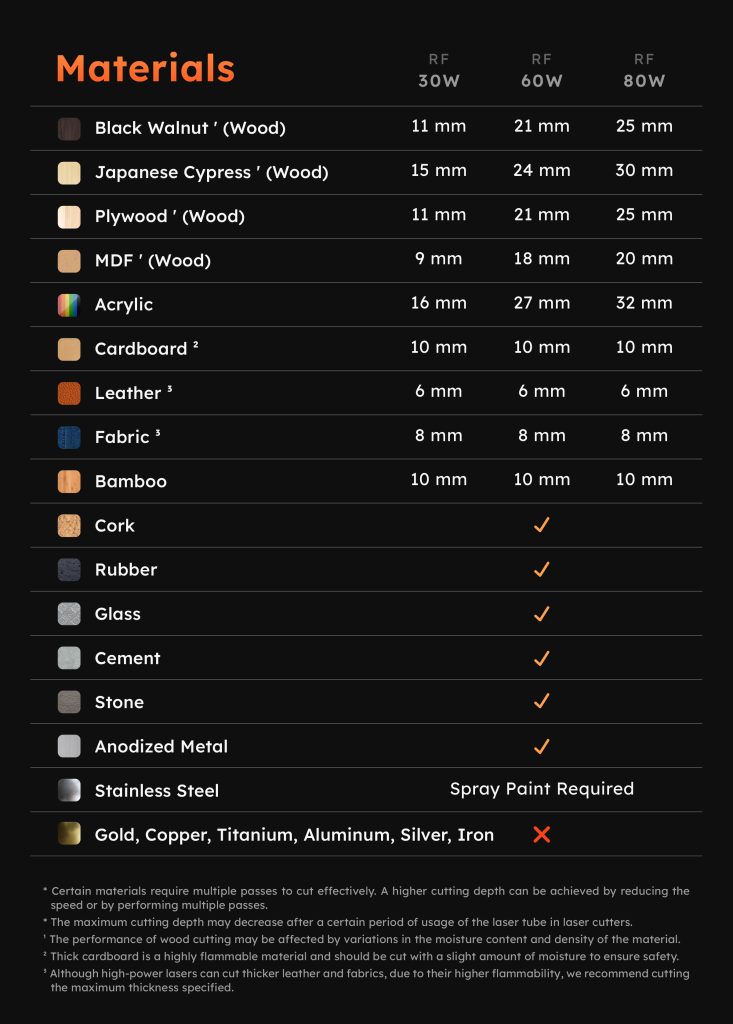
Each material requires a different power and speed parameter to engrave or cut with multiple passes. Beam Studio comes with preset recommendations based on your material to deliver the outcome you’re looking for. For advanced users, change and save presets based on your preferences.

Imagery Arrangement

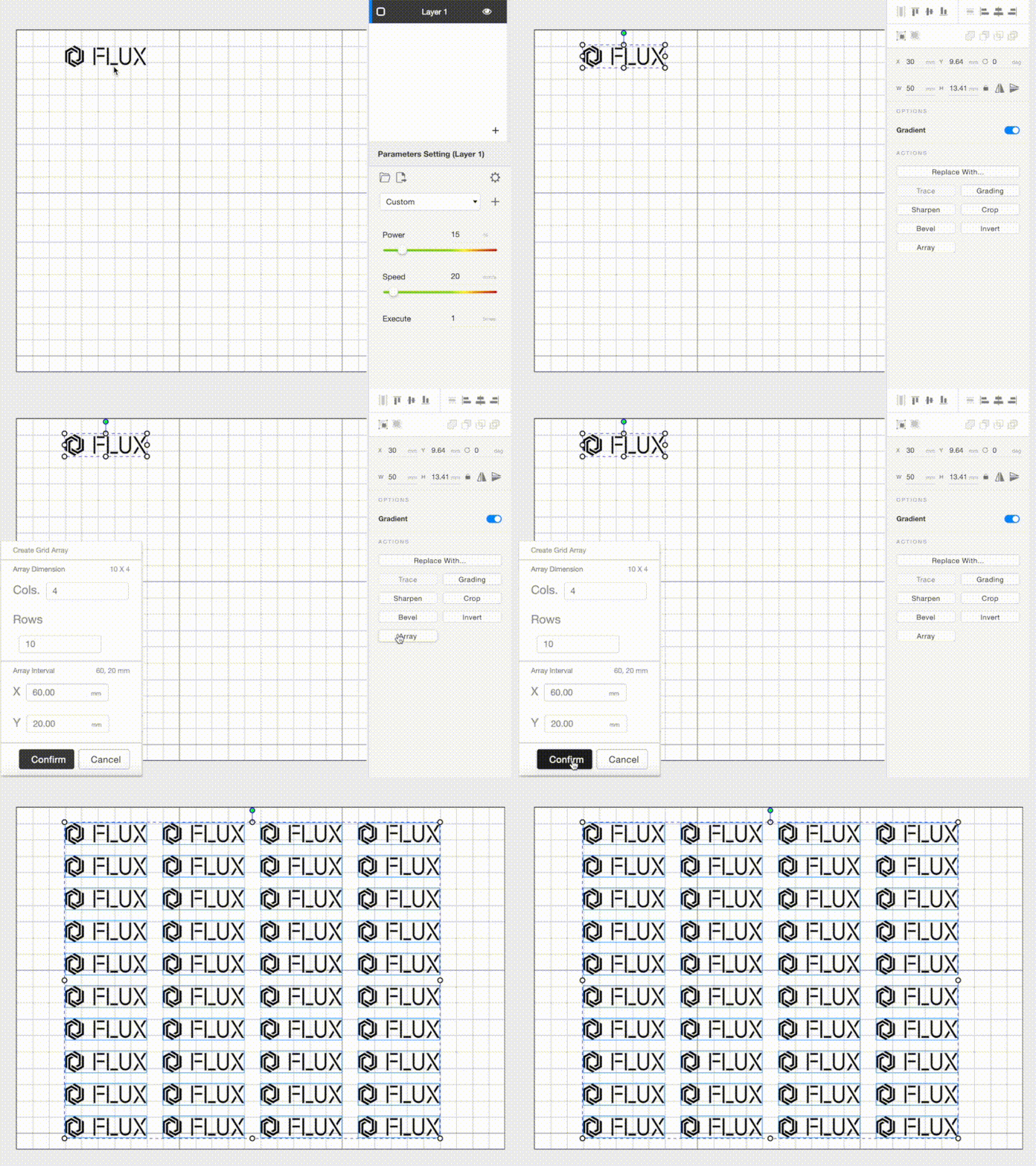
Save time and waste less material with auto imagery arrangement. With 1-click all of your designs will be arranged to optimize your laser cutting experience and reduce waste. Trying to evenly distribute designs on your canvas? Click Image Distribution on Beam Studio and your designs will be evenly arranged over your working surface area.

For Non-Designers

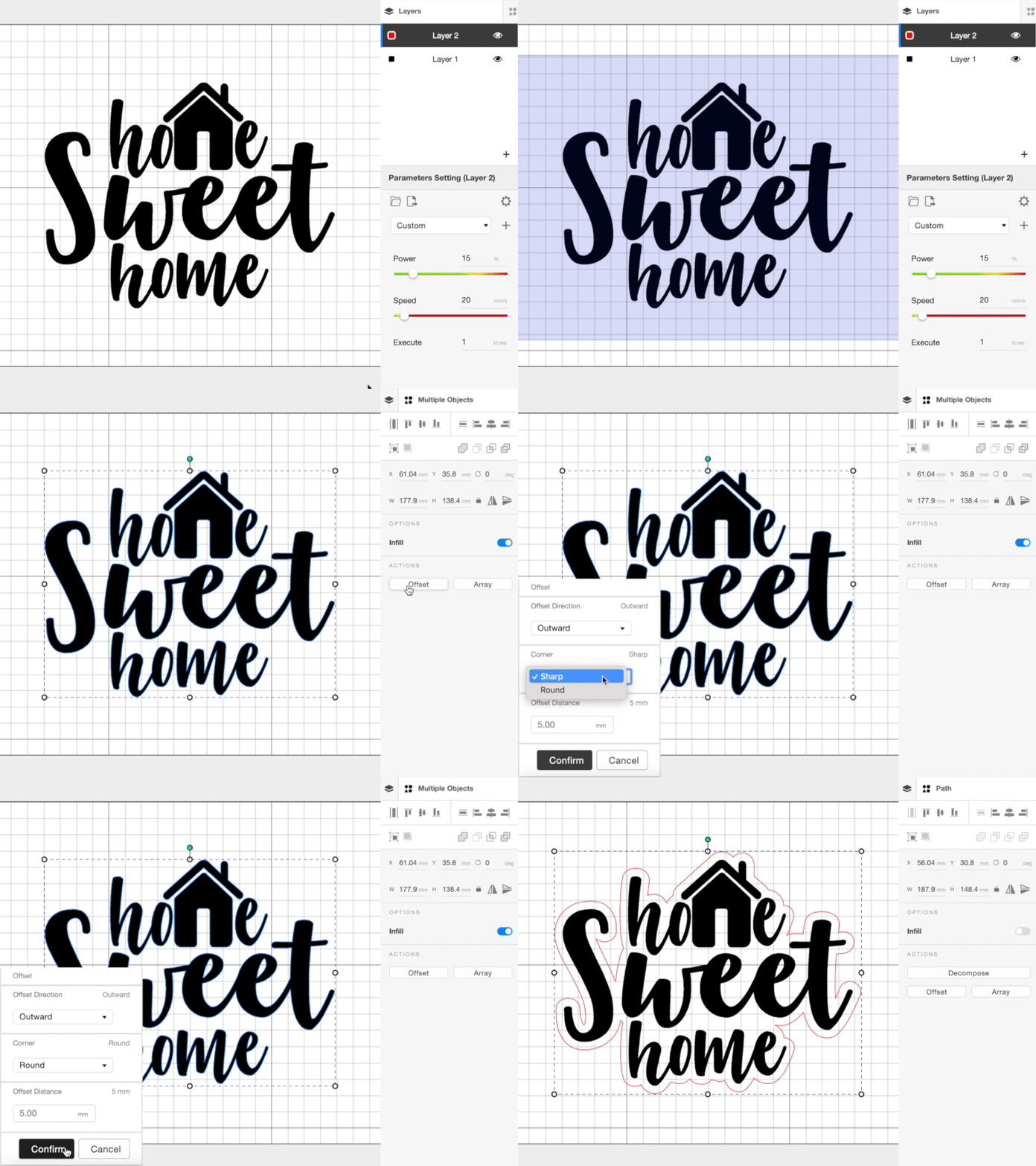
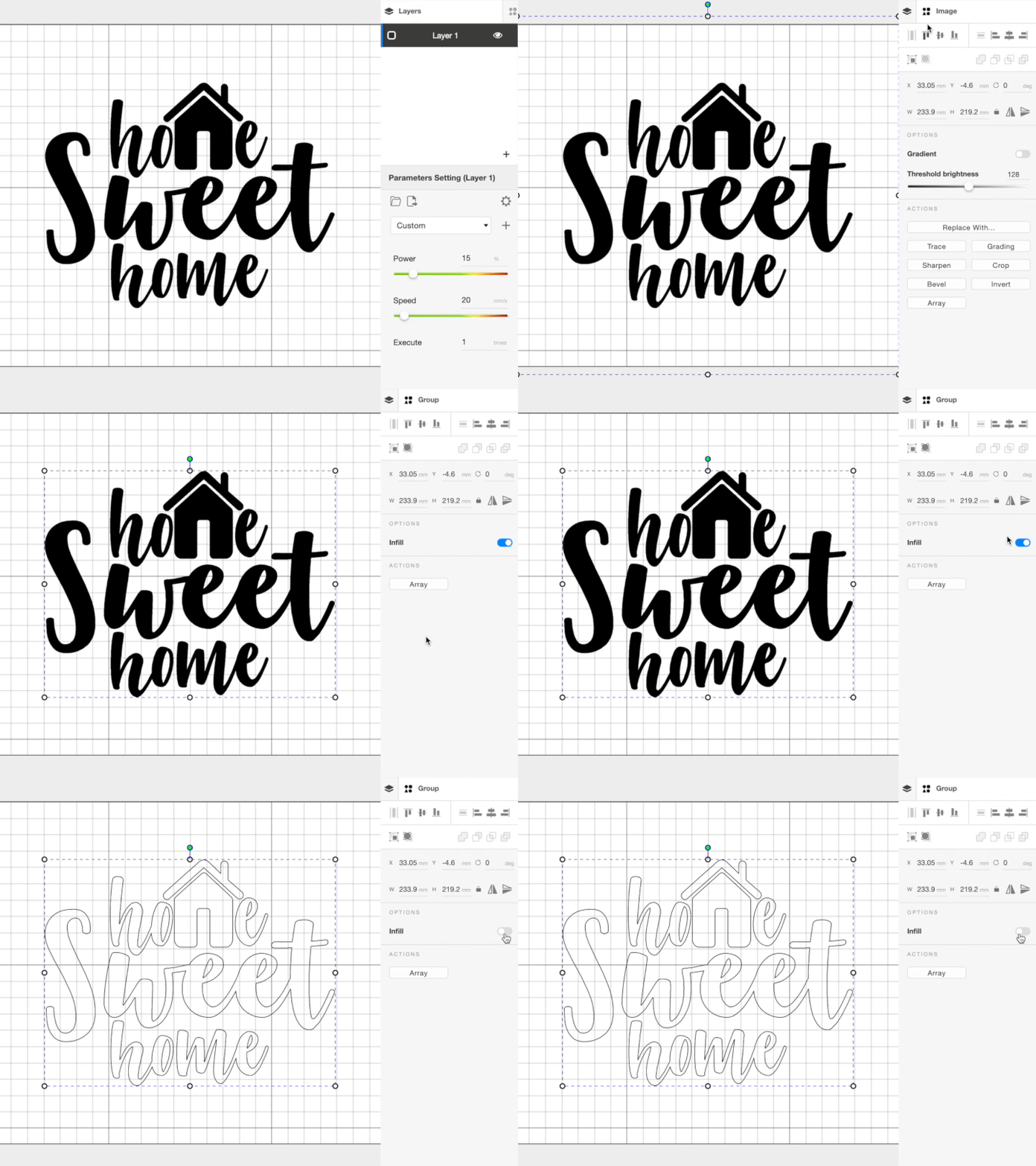
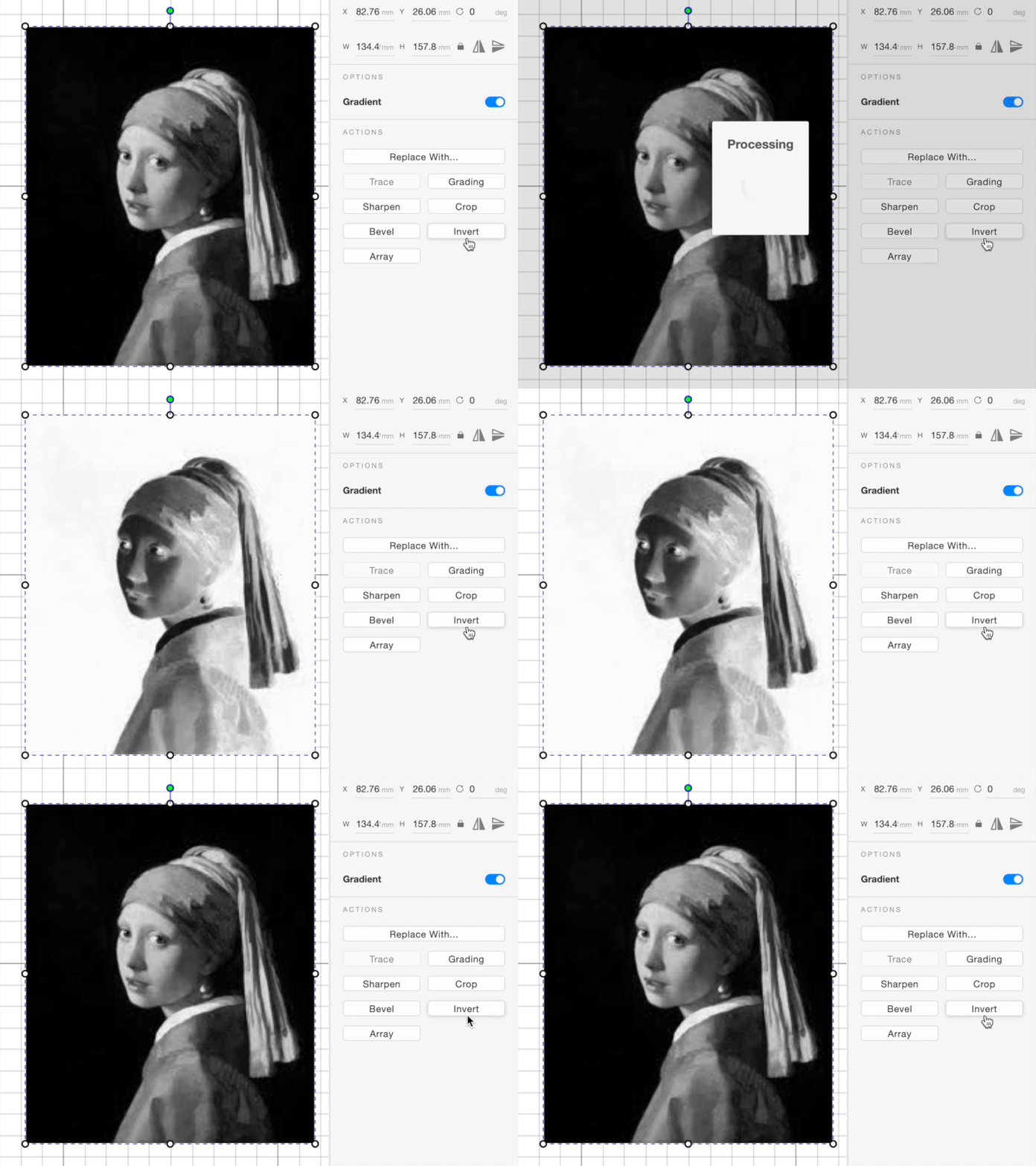
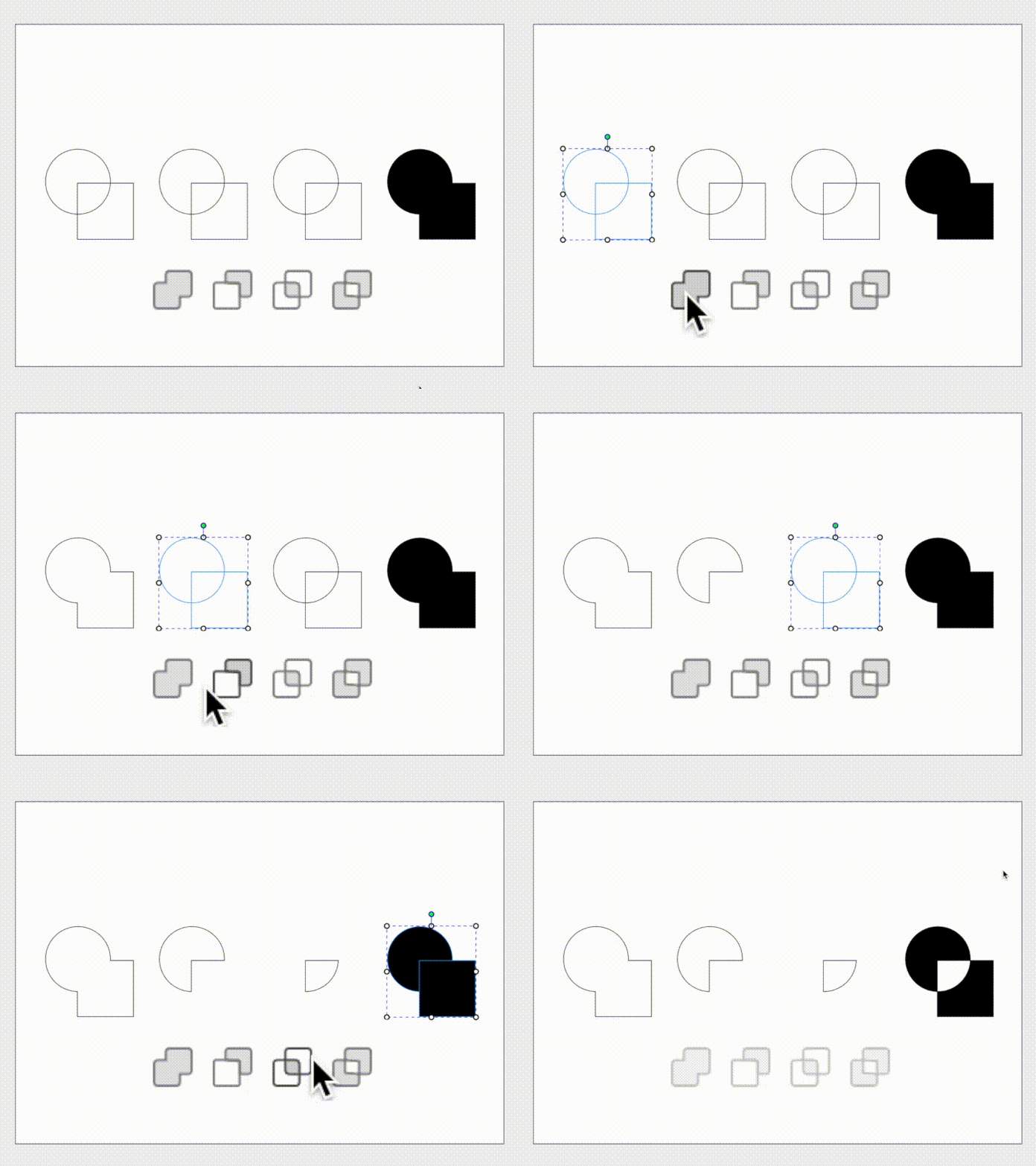
Fine-tune your engraving designs with a 1-click trace function, simple boolean, quick color adjustment features and more. Skip the design courses, your design comes out exactly as you imagined it.

array
array
array
array
array

Compatible with Your Professional Design Tools

Beam Studio supports various file formats

SVG / PNG / JPG / DXF / PDF / AI
Adobe
Illustrator
Adobe
Photoshop
Affinity
Design
Autodesk
AutoCAD
SketchUp
SolidWorks
Sketch
Corel Draw
Rhinoceros

https://alpha.flux3dp.com/wp-content/uploads/2020/12/BeamStudio-to-Illustrator_720.mov

Adobe Illustrator Integration

Already designing on Adobe Illustrator? Beam Studio is fully integrated with Illustrator, meaning your files can be automatically synced from inside the Adobe Illustrator application. No need to export, convert or import, just a smooth workflow with no logistical interruptions

Seamlessly Slice 3D Files

Already have a 3D model on Fusion360? Beam Studio supports Dxf and PDF file formats sliced within Fusion. Simply disassemble the engraving files and import them in one of the accepted formats and start the cutting or engraving process.
Fusion 360
Slicer

Be The Creative Hub​

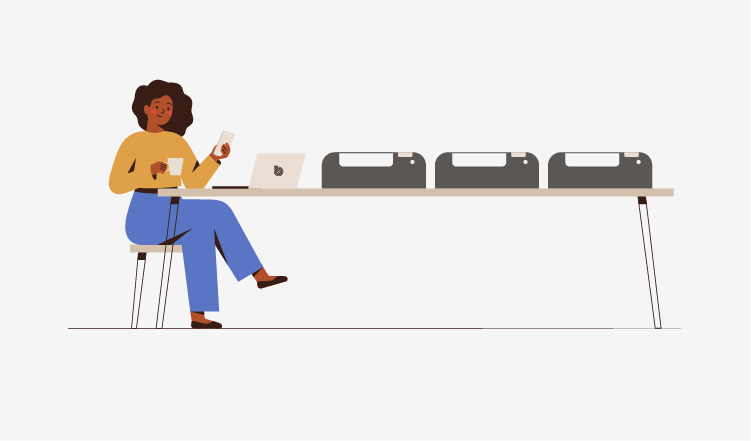
FLUX laser cutters can connect and receive commands from multiple computers or mobile devices within your office through Beam Studio or Beam Go. Workspace collaboration is easier than ever, leaving your mind to design and create.

Superior Support

Each product comes equipped with a visual manual with written instructions accompanied by easy to identify images. Join our Facebook group to learn tips and tricks from our community, or just get inspired. If you’re having any issue with your hardware or software, send us a message on Facebook, or email us directly and our responsive team will be sure to provide you with care and communication you need.



Beam Studio


Windows


Apple


Linux


Download Now

30W CO2 雷射,
精細的剛剛好。

beamo II 搭載 30W CO2 雷射,不只是精細、強勁,更是你實現創意的最好夥伴。無論是木頭、皮革、紙板、布料,甚至透明或絢彩壓克力,都能俐落切割、細膩雕刻。不再被材質限制,不再被靈感耽誤。只要一台 beamo II,所有點子,都能成真。

生日立牌

客製化寵物碗

益智遊戲

客製化冰壩杯

雕切隨心所欲。

beamo II 讓創意不只是想法,而是隨手可得的作品。從精緻小物到獨特禮品,從課堂實驗到專業設計,它都能輕鬆完成。每一次切割與雕刻,都是把靈感化為真實的瞬間。

1000 DPI,經得起看。

即使再細微的紋理、再複雜的圖案,beamo II 也能清晰呈現。高達 1000 DPI 的精細度。無論是精緻吊飾、獨一無二的禮物,還是要求嚴苛的專業作品,即使放大檢視,也依然完美無瑕。

搭配彩色列印,創作更多元。

黑白,不再是雷切機的唯一選項。beamo II 開創先例,成為全球首台搭載彩色列印的 CO2 雷射切割機,一次噴印 CMYK 四色,色彩純淨、層次分明,品質更勝以往。不論是細膩的漸層、飽滿的圖案,還是豐富的設計細節,beamo II 都能完美呈現,讓每個作品都充滿生命力。

當創作需要更大的舞台

想挑戰更厚的材料,或者開啟更進階的創作玩法?加上 beamo II 的擴充底座套件後,從原本的 3 公分提升到 15.5 公分,厚木板、立體物件都能輕鬆放入。搭配擴充底座即刻解鎖使用自動送料和夾爪旋轉軸這兩個套件,解鎖更多創作可能。

當靈感需要更長的篇幅

想挑戰更厚的材料,或者開啟更進階的創作玩法?加上 beamo II 的擴充底座套件後,從原本的 3 公分提升到 15.5 公分,厚木板、立體物件都能輕鬆放入。搭配擴充底座即刻解鎖使用自動送料和夾爪旋轉軸這兩個套件,解鎖更多創作可能。

圓柱體、球型也難不倒

創作,不該只有平面。beamo II 的夾爪旋轉軸套件輕鬆把創意延伸到各種立體物件上。從玻璃水杯、酒瓶到棒球,都能變成你的獨一無二創作。

*此套件需搭配擴充底座套件

創作空間更乾淨的解法

創作時,靈感需要自由呼吸,你也一樣。搭配 Beam Air 空濾機,不必擔心雷射雕刻時產生的煙塵與異味,它能高效過濾工作中產生的污染,保持空氣乾淨清新。不論是在家、工作室還是店面,Beam Air 都能守護你的環境,讓你更安心、專注地投入每一次創作。


Metal in Action
That Takes beamo II to limits.

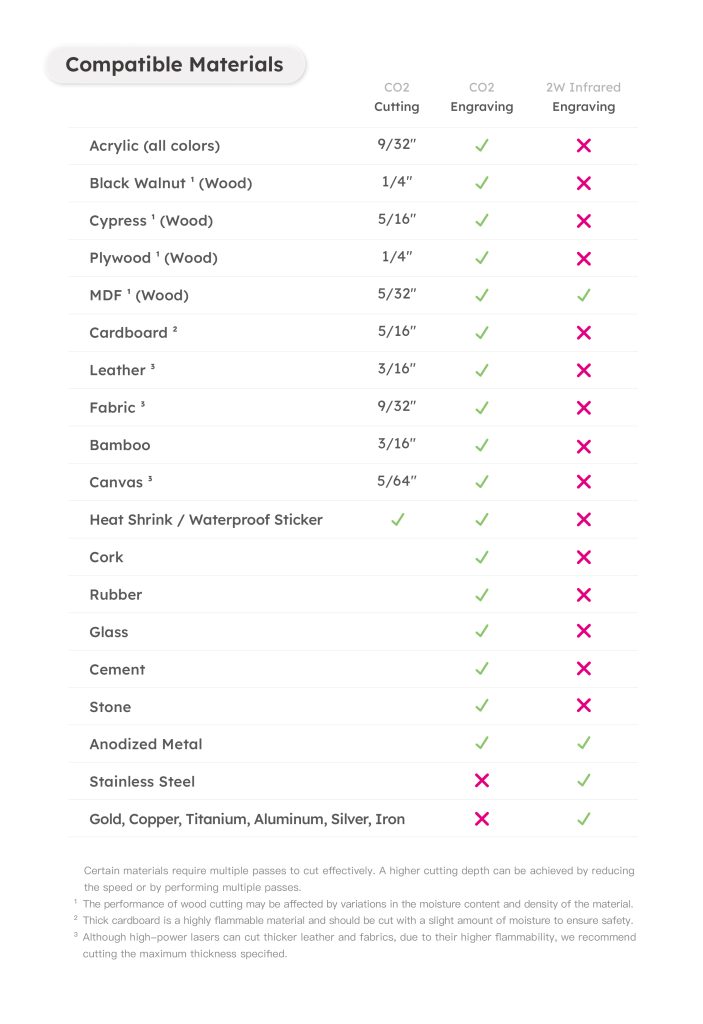
With the 2W Infrared Laser Add-on, beamo II can engrave not only acrylic, wood, glass, and leather, but also gold, silver, copper, iron, aluminum, and more.

Pet Tag

Custom Tag

Metal Tableware

Custom Keychain

Unlock All Metal in beamo II

Whether it’s custom metal jewelry, one-of-a-kind medals, or personalized tags and tools, the 2W Infrared Laser Add-on engraves smoothly on any metal like object.

Laser in Color,
That Makes beamo II More Fun.

beamo II brings full-color printing to your laser projects without removing the laser module. CMYK colors are applied in a single pass, delivering vibrant hues and fine, intricate details. From subtle gradients to bold patterns, every creation comes to life with stunning clarity.

Custom Stickers

Laptop Models

Custom Decorations

Custom Standees

Go Full Color

beamo II delivers full-color laser projects in a single pass without removing the laser module. CMYK colors appear together with vibrant hues and intricate details. Every gradient, every pattern, every design comes to life seamlessly, from your first idea to the finished creation.

Expand More with CO2 Laser

beamo II is the first CO2 laser cutter with full-color printing, applying CMYK in a single pass. Colors are pure, layers are clear, and details are crisp. From subtle gradients to bold patterns, every design comes to life with vivid precision.

600 DPI. Color That Impresses.

beamo II prints with up to 600 DPI precision. Colors are rich, gradients smooth, lines sharp, shadows layered. Every detail is captured exactly as you imagined. From professional portfolios to one-of-a-kind gifts, every creation shines with stunning clarity.
30W CO2 Laser,
That Does it All.

beamo II comes with a 30W CO2 laser, precise, powerful, and ready to bring your ideas to life. From wood, leather, cardboard, and fabric, to transparent or vibrant acrylic, it cuts cleanly and engraves delicately. No limits. No delays. With Beamo II, every idea becomes reality.

Birthday Stand

Custom Pet Bowl

Puzzle Game

Custom Tumbler

Engrave & Cut Effortlessly

From delicate crafts to unique gifts, from classroom experiments to professional designs, beamo II handles every project with ease. Every cut and engraving transforms inspiration into reality.

Look Closer, See the Detail.

Even the finest textures and most intricate designs come through with stunning clarity. With up to 1000 DPI precision, beamo II brings delicate charms, one-of-a-kind gifts, and demanding professional projects to life—flawless, even under close inspection.

Add a Pop of Color!

beamo II is the world’s first CO2 laser cutter with CMYK printing. With CMYK printing in a single pass, colors are pure, layered, and more vibrant than ever. From subtle gradients and bold patterns to intricate design details, beamo II brings every creation to life

There’s More Room for Your Ideas.

Want to tackle thicker materials or explore more advanced creations?
 With beamo II’s Extension Base Add-on, the engraving height increases from 1.2 inch to 6.1 inch, making it easy to work with thick objects. Pair it with the Automatic Feeder and Chuck Rotary, and you unlock even more creative possibilities.

No More Limits on Length.

Handle materials longer than the machine itself with ease using the Auto Feeder Add-on. From long wooden boards and extended acrylic sheets to other elongated designs, everything can be engraved, cut, and printed smoothly. Length is no longer a limitation.
*Requires the Extension Base Add-on.

Circle Back to Your Creativity

With beamo II’s Chuck Rotary Add-on, you can extend your ideas to a variety of objects. From glass cups and wine bottles to baseballs, everything can become a one-of-a-kind creation.

*Requires the Extension Base Add-on.

Keep Your Space Clean

Creativity needs room to breathe, and so do you. With Beam Air, smoke and odors from laser engraving are efficiently captured, keeping your workspace fresh and clean. Whether at home, in a studio, or a shop, Beam Air protects your environment so you can focus on every creation with confidence.

一次看懂兩代的不同

See What’s New in beamo II